Security & Privacy · 3 minute read
How to read a software privacy setting before enabling it
Follow the data through collection, purpose, sharing, retention, and deletion.
Published August 13, 2026 · By Technified
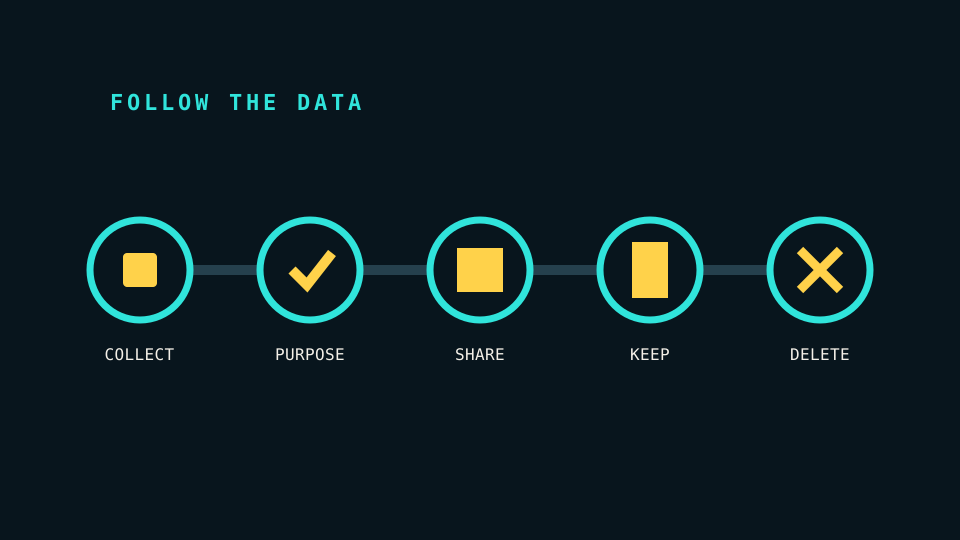
A privacy toggle can compress a long data process into two words such as “personalization” or “improve services.” Before enabling it, expand that label into a path: what is collected, why it is used, where it goes, how long it remains, and whether you can delete it.
This takes more effort than reading the button. It also produces a decision based on the actual behavior instead of the emotional tone of the label.
Identify the data
Look for concrete nouns. “Usage data” can include feature clicks, search terms, document names, device identifiers, approximate location, crash contents, or interaction timing. These categories have different consequences.
If the setting affects uploaded files, microphone input, contacts, browsing activity, or precise location, find the feature-specific explanation. A general privacy policy may not describe the exact data path clearly enough.
Separate purpose from necessity
“Needed to provide the service” is different from “used to personalize the service” or “used to improve products.” The first can be required for the feature you requested. The others often describe secondary uses.
Ask whether the feature still works when the setting is off. If it does, the collection is optional in a practical sense even when the interface strongly recommends it.
Data minimization is a useful standard: collect what is needed for the stated task and no more. NIST’s current digital-identity guidance includes collection and data minimization as a privacy consideration. The same question helps with ordinary software settings: is the amount of data proportionate to the job?
Find the recipients
The developer, cloud host, analytics vendor, advertising partner, and workspace administrator can have different access. “We do not sell personal data” does not answer whether data is shared with processors or used across products.
For workplace or school software, check whether an administrator can view activity that a personal account would keep private. The account context can change the meaning of the same setting.
Check retention and deletion
Turning a toggle off can stop future collection without deleting earlier data. Look for separate controls for history, uploaded files, model-training use, advertising profiles, or account deletion.
A complete explanation should answer:
- Is the data kept only for the session or stored afterward?
- Is there a fixed retention period?
- Does deletion remove backups immediately or on a schedule?
- Can you export or inspect the stored record?
- What remains after the account is closed?
If no retention detail exists, treat the duration as unknown rather than temporary.
Make a reversible test
For an optional feature, start with low-sensitivity sample data. Enable it only long enough to understand the benefit. Then turn it off and inspect whether history or stored content remains.
Record the setting name and date when the choice matters. Software updates can move controls, reset defaults, or divide one setting into several new ones.
Use a simple decision rule
Enable the setting when the stated benefit is useful, the data is proportionate, the recipients and retention are acceptable, and the choice is reversible enough for your situation.
Leave it off when the description is vague, the feature does not need the data, the setting combines several unrelated purposes, or deletion is unclear. A privacy setting should provide control, not merely a place to confirm the developer’s preferred default.