Security & Privacy · 3 minute read
Passkeys, passwords, and what changes for the user
Passkeys replace a reusable secret with a site-scoped key pair, but recovery still deserves attention.
Published August 13, 2026 · By Technified
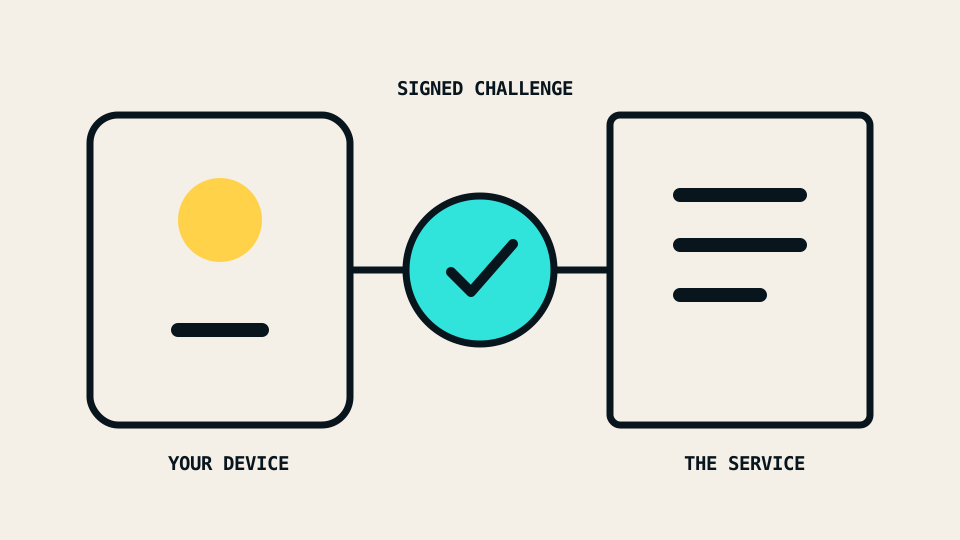
Passwords ask you to prove identity by sending a secret that can be copied. Passkeys change that exchange. Your device proves that it holds a private key, while the service stores the matching public key.
The private part is not handed to the website during sign-in. Instead, the service sends a fresh challenge. Your authenticator signs it after you approve the action with the same local method used to unlock the device, such as a PIN or biometric check.
Why phishing becomes harder
A passkey is scoped to a relying party, which is the service identity used by Web Authentication. A credential made for one relying party is not available to a look-alike site with a different identity.
The W3C Web Authentication specification describes public-key credentials that are scoped to a relying party and used with user consent. This binding is the important security change: there is no password string for a fake page to collect and replay.
The FIDO Alliance overview describes passkeys as FIDO credentials that can be synced across a user’s devices or bound to a particular device. That distinction affects convenience and recovery.
What the unlock step means
When a passkey prompt uses your fingerprint, face, device PIN, or pattern, that local check usually unlocks use of the private key. The biometric image is not being sent to every website. The service receives a cryptographic response that it can verify with the public key on the account.
The sign-in screen can still be confusing because the same device gesture has several roles. It may unlock the device, approve a payment, or authorize a passkey. Read the service name in the prompt before approving it.
Synced and device-bound passkeys
A synced passkey can follow you through a platform’s credential manager. This reduces the chance that one lost phone locks you out. It also makes the security and recovery of that platform account more important.
A device-bound passkey stays with one authenticator, such as a hardware security key. This can offer tighter control, but you need another registered authenticator or a tested recovery route.
Neither type removes account recovery. Recovery moves from “reset the password” toward a mix of trusted devices, backup authenticators, recovery codes, and provider-specific checks.
A careful migration sequence
Do not delete every existing sign-in method immediately. A measured sequence is safer:
- Add the first passkey from a device you control.
- Add a second independent recovery method where the service supports it.
- Test sign-in in a private browser window or on another device.
- Review which credential manager holds the passkey.
- Store recovery codes offline if the service provides them.
- Only then decide whether to remove the password fallback.
If a service keeps password sign-in active, the account can still be attacked through that older path. A passkey improves the route you use; it does not automatically remove every weaker route.
Questions to ask before enrollment
- Is the passkey synced or bound to this device?
- Which account controls that sync?
- Can I register two authenticators?
- What happens if every registered device is lost?
- Does the service still allow password recovery?
- Can I view and remove registered passkeys later?
Passkeys reduce a large class of phishing and password-reuse problems. Their practical success still depends on a recovery plan that you understand before an emergency.